
Automated Xero accounting for luxury travel
Your numbers should look after themselves. Tourwriter is the only certified two-way Xero integration built for travel design, so invoices, payments, and reconciliation stay right in both systems and your finance team can trust every figure without rekeying a thing.
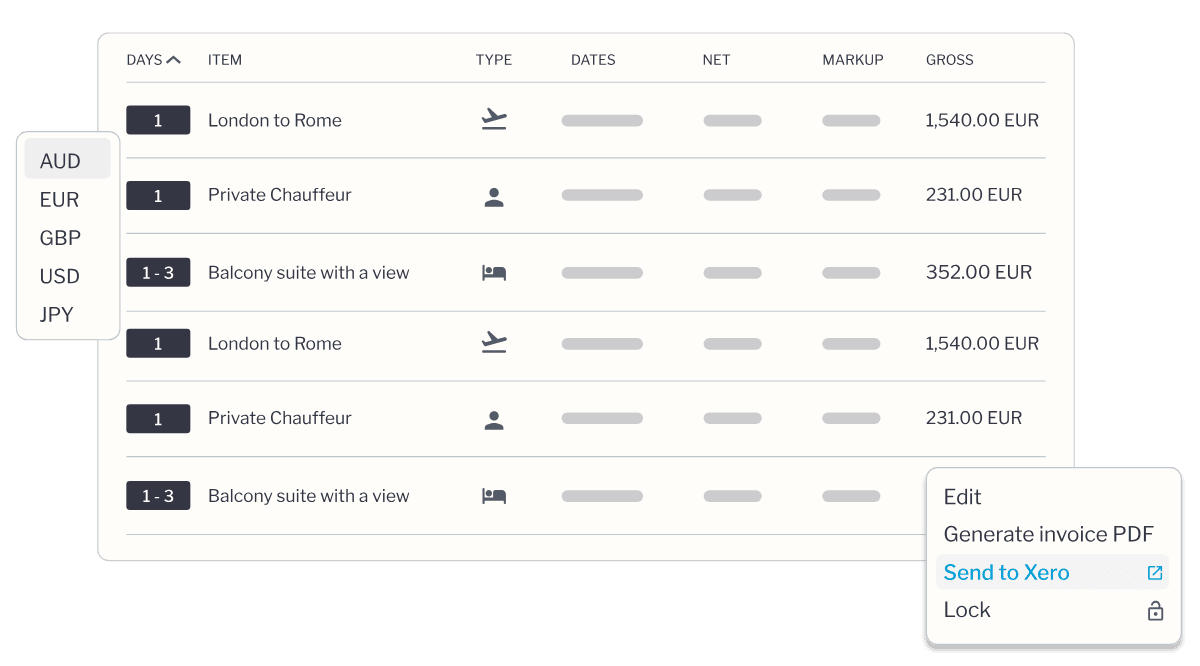
The only certified two-way Xero integration in travel design
Certification is not a badge we bought. Xero tested this connection against its highest standards for security, reliability, and accuracy, then put its name to it.


“Every payment now shows instantly in Xero and Tourwriter. It saves us hours and lets us focus on creating unique experiences for clients.”
Karen Jefferson, Co-founder, Ahipara Luxury Travel. Read the Ahipara story
One connection, always current
Tourwriter and Xero hold the same record and update each other the moment anything changes. Approve an invoice in Xero and it appears in Tourwriter, record a payment in Tourwriter and it appears in Xero. Integrations are not all created equal. Plenty of tools call a scheduled export or a third-party zap an integration, and a certified two-way sync keeps both systems true, every minute of every day.
Real-time
The second one system changes, the other matches. No overnight batch, no catching up in the morning.
Two-way
Data moves in both directions, so finance and ops are never holding different versions of the same trip.
Certified by Xero
Xero tested this connection against its own standards and put its name to it. In travel design, only Tourwriter has earned that. See the Xero App Partner Program.
How a payment finds its way into your accounts
Take the payment
However your traveller chooses to pay, the payment lands in Xero as a draft invoice, ready to reconcile.
Reconcile in Xero
Your accountant approves it, and approved invoices lock so nobody edits the record by accident.
See it everywhere
The status updates in Tourwriter straight away, and sales, ops, and finance all read the same number.
Built for the person who signs off the numbers
Finance usually meets new software at the worst possible moment, right before signing, holding a list of hard questions nobody has answered yet. So we answered them here, before you even ask.
Two-way sync that matches how you already work
Ops approves the invoice, accounts pays it, and both systems update the moment either one changes. No exports, no second version of the truth to argue over.
Every supplier payment in one place
See what is owed, to whom, and by when, all sorted by due date. A payment run becomes a five-minute job instead of an afternoon lost to spreadsheets.
Margin and cash, as you quote and as you book
Tourwriter goes deep on pricing, so you see profit on a trip while you are still building it, and again the moment it books. Finance reads the real position early enough to act on it.
One source of truth, so ops stops chasing it
Operations spends too many Monday mornings reconciling three systems that do not talk to each other. When finance and ops share the same live picture, that ritual disappears. It is the same whether you run a tour operator, a destination management company (DMC), or a small studio of travel designers.
-
No more chasing status. Every payment and invoice reads the same in both systems, so ops can see where a booking stands without pinging finance.
-
Fewer costly slips. Approved invoices lock and references match, so a supplier is never double-paid or lost between inboxes.
-
Built for how a travel operation actually runs. This works the way your day works, not the way a generic finance tool assumes it should.
Supplier payments, without the reconciliation headache
Managing supplier invoices across currencies and destinations is complex enough. The system should carry that weight, not add to it.
Pay in runs
Send a whole week or month of supplier bookings to Xero at once. You choose what goes, and when.
Handled properly
Pay international suppliers in their own currency, with the correct accounting codes already attached.
Numbers that line up
References match across both systems, so suppliers, ops, and accounts are always talking about the same invoice.
Live in minutes, not months
Most finance teams carry one software horror story they never want to repeat. This is the opposite of that.
-
Connect Tourwriter to Xero from your settings in a few minutes. No IT team, no consultant.
-
Data syncs from the moment you connect, and your existing Xero records stay clean.
-
Approved invoices lock automatically, so the record is protected from accidental edits.
-
Certified security means your financial data is held to Xero’s highest standard.
Frequently asked questions
What makes Tourwriter’s Xero integration different from other accounting integrations?
Tourwriter offers true two-way synchronisation with Xero, so data flows in both directions in real time. Unlike one-way integrations that only push data from operations to accounting, this keeps both systems aligned. Mark an invoice as paid in Xero and Tourwriter updates instantly. Record a payment in Tourwriter and it appears in Xero. You always work with current data, whichever system you are in.
What does “Certified Xero Integration” mean?
Certified status means the integration has been tested and approved by Xero’s technical team against its highest standards for security, reliability, data accuracy, and performance. Tourwriter is the first travel operations platform to achieve it.
Which Tourwriter plans include the Xero integration?
The Xero integration is available on Tourwriter’s Premium and Premium + plans. If you are on a different plan and would like to add it, contact our team about upgrading.
How long does it take to set up the Xero integration?
Setup usually takes a few minutes. Your admin connects Tourwriter to Xero from your settings, with no IT team or technical expertise required. Once connected, data begins syncing immediately.
Does the integration work with Stripe payments?
Yes. When both Stripe and Xero are enabled, client payments collected through Stripe flow into Xero for reconciliation. Once reconciled, the payment status updates automatically in Tourwriter, so you have visibility across all three platforms.
What data syncs between Tourwriter and Xero?
The integration syncs invoices, payments, line items, amounts, payment terms, invoice statuses, and transaction records. A change in either system updates the other automatically.
Can I connect multiple Xero organisations to Tourwriter?
Each Xero organisation connects to one Tourwriter account. If you operate multiple entities with separate Xero organisations, you will need a separate Tourwriter account for each.
What happens if someone tries to edit an invoice in both systems at once?
Once an invoice is approved in Xero, it locks in Tourwriter to prevent conflicting changes. Xero becomes the source of truth for approved invoices. To make changes, edit in Xero or set the invoice back to draft, which releases the lock in Tourwriter.
Can I export supplier invoices to Xero in bulk?
Yes. You can export multiple supplier bookings to Xero at once, which makes weekly or monthly payment runs efficient. You control which bookings to export, and when.
Does the integration support multiple currencies?
Yes. The integration handles multi-currency transactions with the correct accounting codes, which matters for operators working with international suppliers and clients.
What if I need help setting up or troubleshooting the integration?
Our support team can help. You can follow the setup guides in our knowledge base or contact support directly. Pricing depends on your team size and needs, so visit our pricing page to find the right plan.
Will my historical data sync to Xero when I first connect?
The integration syncs new transactions created after you connect. Historical data does not backfill automatically, which keeps your Xero records clean. You can migrate historical data manually if needed.